Best alternative to DataDog Synthetics

Free 14-day trial · No credit card required
Trusted by thousands of businesses



When Datadog is the better fit
A synthetic checkout fails and the on-call engineer wants the failing service trace, logs and incident timeline in one platform.
Datadog provides that broader investigation workflow and native status pages. OnlineOrNot can run the standalone browser check, but it does not replace APM or native on-call scheduling. Compare the synthetic execution rates and active incident operators, not only the advertised API starting rate.
No credit card required.
OnlineOrNot and Datadog: feature comparison
| Feature | Datadog | OnlineOrNot |
|---|---|---|
| Check frequency | Variable | 30 seconds Pro; 3 minutes Hobby |
| Setup complexity | Managed public locations; private locations require setup | Managed service; setup depends on check requirements |
| Pricing | Synthetic test usage; other products priced separately | From $25/month for 35 monitors; additional packs of 25 for $10/month |
| Cron job monitoring | Daily/weekly/monthly custom monitor schedules with job-result instrumentation | Yes |
| Multi-location monitoring | Yes | Configurable regions |
| SSL certificate checks | Basic | Alerts on invalid or expired certificates when SSL verification is enabled. No advance-expiry reminders |
| Status pages | Native Status Pages in the Incident Management/Incident Response product | One public page on Pro; additional pages cost extra |
| Team members | Part of larger platform | 2 on Hobby; unlimited on Pro and Enterprise |
| Dashboard complexity | Depends on configuration and support agreement | Developer friendly, simple |
| Support | Tiered by plan | Email the founder; response time is not guaranteed |
When OnlineOrNot is the better fit
Choose focused managed uptime, standalone Playwright scripts, heartbeats and hosted status pages. Keep any separate observability, native on-call or self-hosted capabilities you still need.
Pro starts at $25/month for 35 monitors, 3,000 browser runs per month, one public status page and unlimited team members. Additional monitors, browser runs and pages cost extra.
Hobby is free and includes 3 uptime monitors at 3-minute intervals, 1,000 browser runs per month, 2 team members and 100 email status-page subscribers.
Evaluate the migration before switching
Inventory the current setup
List endpoints, browser scripts, regions, credentials, integrations and status-page requirements. Do not send secrets in an export.
Recreate supported checks
Configure supported checks and alert destinations. Export and archive historical incidents and reports; they do not automatically transfer.
Run both services in parallel
Test a controlled failure and recovery, verify alerts and status updates, and keep any unsupported features elsewhere before cancelling the old service.
How to choose
Written by OnlineOrNot. This is a comparison of published capabilities, not a reliability benchmark. Unverified claims are not treated as missing features. Documented examples, not hands-on benchmark results.
Choose Datadog when
Your team already uses Datadog and wants synthetic failures connected to infrastructure metrics, logs and traces.
Investigate a failed checkout beside its application trace
A synthetic checkout fails and the on-call engineer wants the failing service trace, logs and incident timeline in one platform.
Datadog provides that broader investigation workflow and native status pages. OnlineOrNot can run the standalone browser check, but it does not replace APM or native on-call scheduling. Compare the synthetic execution rates and active incident operators, not only the advertised API starting rate.
Example documentationLimitations and requirements to check
- Confirm current plan allowances, intervals, regions, team access, alert destinations and status-page requirements at the source before buying.
Migration boundaries for Datadog
- Keep application errors, traces, infrastructure telemetry and associated investigations in this product if you still need them; OnlineOrNot does not replace them.
Choose OnlineOrNot when
You want focused managed uptime, API checks, standalone Playwright scripts, heartbeats and hosted status pages without adopting a full observability platform.
A success page is not a completed checkout
Your storefront still responds with HTTP 200, but submitting an order no longer reaches the confirmation screen.
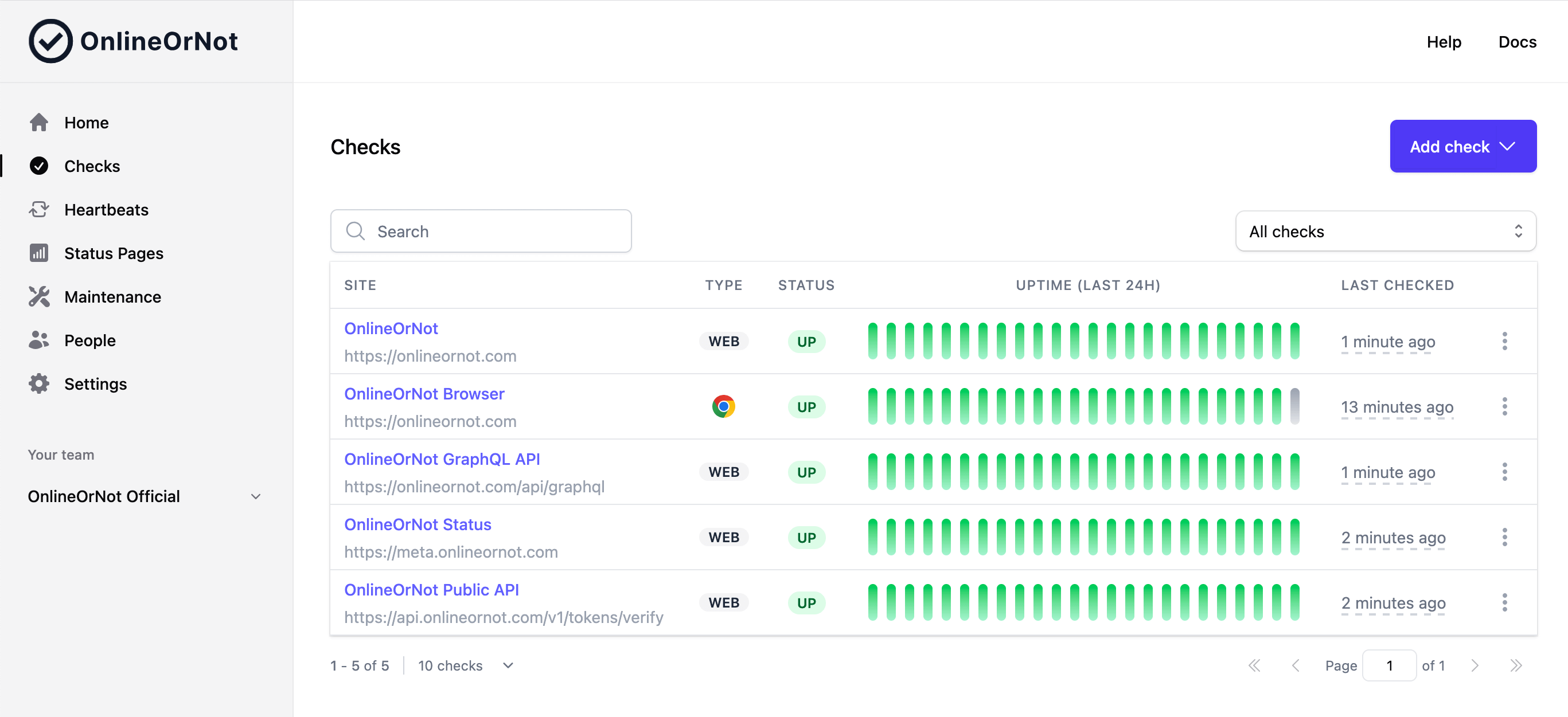
Use a standalone Playwright journey to sign in, submit a test order and assert the confirmation. An HTTP availability check alone does not exercise those steps. Keep native on-call scheduling or APM in a separate product if you need them.
Example documentationCurrent limitations
- Hobby is free and includes 3 uptime monitors at 3-minute intervals, 1,000 browser runs per month, 2 team members and 100 email status-page subscribers. SMS, webhooks and on-call integrations are not included on Hobby.
- Pro HTTP checks support 30-second scheduling, not a guaranteed 30-second alert. Browser frequency, run duration and region count affect usage.
- Alerts on invalid or expired certificates when SSL verification is enabled. No advance-expiry reminders
- Standalone browser scripts do not replace a full Playwright project, arbitrary dependencies, private runners, application tracing or native on-call scheduling.
- Enterprise reliability guarantees depend on your contract. No zero-false-positive or faster-than-competitors guarantee is offered.
Comparable workload costs
20 uptime monitors, three active operators and one public status page. Usage-priced HTTP estimates assume one request per monitor every minute for 30 days in one location: 864,000 HTTP executions. The browser workload adds two journeys every five minutes for 30 days in one region: 17,280 executions. More regions, retries, longer runs or retained products can add cost. HTTP intervals vary by plan; these are not equal-performance claims.
Monthly prices where published, before tax; currencies are not converted. Annual commitments, usage estimates, incomplete packages and subtotals are labelled. Browser totals include the base workload unless explicitly marked incomplete. Check current quotes before purchasing.
| Product | Uptime workload | With browser journeys (total) |
|---|---|---|
| OnlineOrNot | USD $25/month Pro $15 + one 25-monitor pack $10; unlimited users and public page included | USD $85/month Pro $15 + one 25-monitor pack $10; unlimited users and public page included; 15 packs × $4 = $60 |
| Datadog | USD About $626.40 at the unit rate/month 3 Incident Management operator × $36 + 864,000 HTTP executions × $6 per 10,000; 3 users and public page included | USD About $885.60 at the unit rate/month 3 Incident Management operator × $36 + 864,000 HTTP executions × $6 per 10,000; 3 users and public page included; 17,280 billable browser executions × $15 per 1,000 |
OnlineOrNot: pricing assumptions
- Monthly USD, before tax. One public page and unlimited Pro members are included; additional pages, private-page features, runs and monitor packs cost extra.
Datadog: pricing assumptions
- Usage estimate at US month-to-month rates, not discounted annual or higher on-demand rates: single-request HTTP tests once a minute, one location, one browser/device configuration and three active Incident Management operators. Native public Status Pages are included in that product; additional telemetry, retries and billable execution rules can change the invoice.
Migration boundaries
- Recreate supported checks, credentials, regions, assertions and alert routing. Test a controlled failure and recovery in parallel before cancelling your current service.
- Historical incidents, response-time data, SLA reports, integrations, status-page domains and subscriber lists do not automatically transfer. Export an archive and plan each cutover.
- Keep unsupported capabilities in the existing product. Agree assisted-migration scope and timing; do not send secrets by email.
Sources and review status
OnlineOrNot — selected facts checked 2026-11-04
Reviewed evidence
The new-customer Pro package includes 35 monitors; larger monitor and browser allowances use add-ons.
https://onlineornot.com/pricing35 monitors
Observed 2026-11-04
Datadog — selected facts checked 2026-11-04
Reviewed evidence
The estimate uses month-to-month API/browser rates and three Incident Management operators.
https://www.datadoghq.com/pricing/Per 10K test runs
Observed 2026-11-04
Datadog documents customer-facing status pages in Incident Management/Incident Response.
https://docs.datadoghq.com/incident_response/status_pages.mdStatus Pages
Observed 2026-11-04
Custom monitor schedules support recurring jobs with the appropriate job-result instrumentation.
https://docs.datadoghq.com/monitors/guide/custom_schedules.mddaily, weekly, or monthly
Observed 2026-11-04
The US browser-test month-to-month rate is distinct from its annual and on-demand rates.
https://www.datadoghq.com/pricing/'SYNTHETICS-1K': {'annual_cost': '12','month_to_month_cost': '15','on_demand_cost': '18'}
Observed 2026-11-04
Help us correct this comparison
We welcome corrections from readers and competitors. Email max@onlineornot.com with the page, claim and a primary source. A person reviews corrections before publication.
Trusted by software teams worldwide
OnlineOrNot is built for scale and runs millions of uptime checks every week. Thousands of software teams, including some of the world's leading brands have already made the switch from other uptime monitors.
- Uptime Checks last week
- 16.9M
- Users
- 7,769
- Detected incidents last week
- 2,714
OnlineOrNot has been absolutely fantastic for my bot, Noti. It completely transformed the way I monitor online services.
The real-time notifications keep me in the loop about any downtime, allowing me to take immediate action. If you're looking for a reliable way to monitor your project's status, I highly suggest using OnlineOrNot.
Adam HMaker of Noti
Bet on indie hackers 🚀
I tried @RozenMD's OnlineOrNot uptime monitoring, and for a few days got notifications of 2min down time.
I thought that OnlineOrNot was wrong as Uptime Robot wasn't reporting anything.
Turns out it was the other way around.
Khaled BentoumiFounder of Data to Page
We've been using OnlineOrNot and it has been a life saver.
It, by far, has been one of the most responsive uptime services we've tried and it only gets better and better as time goes on.
Alex BowlesFounder of Casterlabs
I just set up some site aliveness checks for @Archium_io with @RozenMD's OnlineOrNot.
Took me less than five minutes and it was completely self-explanatory, not to mention gorgeous. Seriously good experience.
Great job, Max! 👏👏
Graham LeaFounder of Archium.io
OnlineOrNot by @RozenMD is all one needs
It is easy to set up and very reliable. I have been using it for almost an year now.
Rajat SaxenaFounder of CourseLit
I'm using OnlineOrNot to monitor my @cloakist customers' sites, so I can respond quickly if they stop working
Love it. Super clean interface, very intuitive. Particularly impressed at how it can wait for full page load
Thanks @RozenMD for making this awesome tool!
Louis BarclayFounder of Cloakist
OnlineOrNot does the job for me.
Charles MillerSoftware Architect at Atlassian
Free 14-day trial · No credit card required
Incidents happen.
Get useful alerts, not noise.
OnlineOrNot confirms failures before paging your team, then sends the alert to the tools you already use.
- Alert channels built for teams:
- Slack, Discord, and Telegram
- PagerDuty and OpsGenie
- SMS and email
- Microsoft Teams
- Incident.io, Grafana OnCall, and Spike
- Webhooks

30-second setup.
Simple setup.
Production-ready checks.
Create checks in minutes, then configure methods, headers, request bodies, regions, and alert behavior when you need to.
Also, I just want to thank you for your responsiveness and help.
This is the best uptime monitoring we have seen so far and saved us a ton of time building our own version.
— Engineering manager, SaaS company

- Super-fast checks.
- Check as often as every 30 seconds, and catch the issues that take your website down for less than a minute.
- Configurable HTTP requests.
- You can configure the HTTP method, headers, and body for each check.
- Instant alerts.
- Alerts in the tools you already use: Email, SMS, Slack, Discord, Telegram, Incident.io, PagerDuty, OpsGenie, Grafana OnCall, Spike, and more.
- No false positives.
- OnlineOrNot runs every check at least twice before sending an alert, with options for even more.
- SSL Monitoring.
- When SSL verification is enabled, OnlineOrNot alerts on invalid or expired certificates. It does not send advance-expiry reminders.
- Geo-specific & Multi-location Checks.
- You can choose to run uptime checks from one region, or all of them.
Build trust.
Keep your customers informed
Your customers rely on your products and services. Let them know your real-time status with an automatically updating status page.
- Minimize support load.
- Add your customers as subscribers to your status page, and send consistent incident updates via email.
- Private status pages.
- Share internal status updates with your teammates and internal stakeholders with a private status page.
We pitch our website to investors and influencers all the time. If the website is down, we look like amateurs.
We know our website is online before these important meetings thanks to OnlineOrNot.
— early start-up founder

Frequently asked questions
in 30 seconds:
Free 14-day trial · No credit card required
Join thousands of teams already using OnlineOrNot