Best Sentry alternative for uptime monitoring

Free 14-day trial · No credit card required
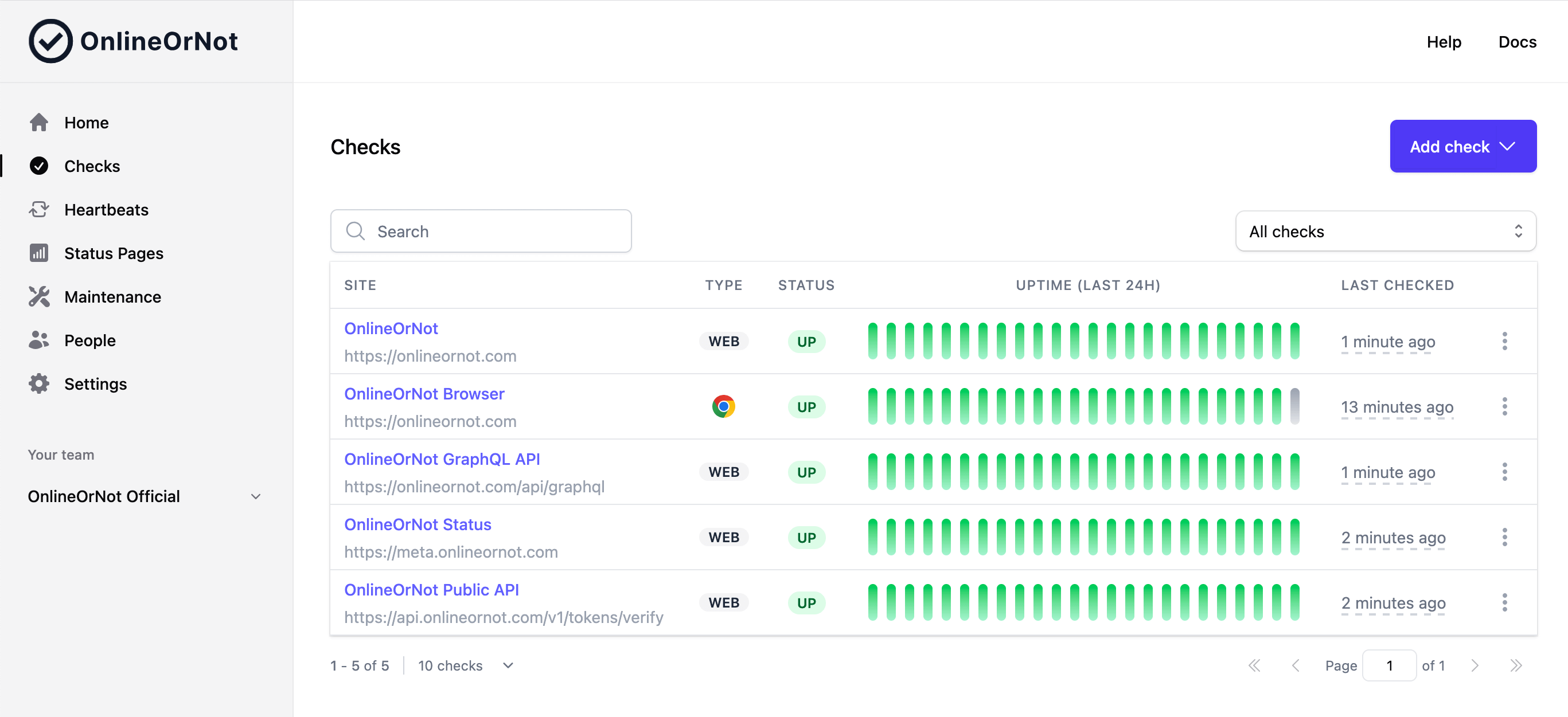
Trusted by thousands of businesses






Choose the monitoring workflow that fits your team
Your API starts returning server errors after a release and developers already investigate exceptions and traces in Sentry.
Keep Sentry uptime and cron monitoring if that context is useful; neither capability is absent. Add a separate scripted browser journey when the failure requires login and clicks, and a customer incident status page when you need subscriber communication.
No credit card required.
OnlineOrNot and Sentry: feature comparison
| Feature | Sentry | OnlineOrNot |
|---|---|---|
| Uptime monitoring | Yes | Yes |
| Multi-location monitoring | Yes | Configurable regions |
| Cron job monitoring | Yes | Yes |
| SSL certificate checks | Not verified | Alerts on invalid or expired certificates when SSL verification is enabled. No advance-expiry reminders |
| API endpoint monitoring | HTTP methods, headers, body and response assertions | HTTP methods, headers, bodies and assertions |
| Error tracking | Error tracking | No |
| Performance monitoring | Performance monitoring | No |
| Status pages | Not verified; confirm current product and plan | One public page on Pro; additional pages cost extra |
| Team members | Check current plan seat limits | 2 on Hobby; unlimited on Pro and Enterprise |
| Failure confirmation | Issue opens after three consecutive failures | Failures confirmed before alerting |
Perfect companions for complete monitoring
Keep the tools you need. OnlineOrNot does not replace Sentry error tracking or tracing. Compare your required checks, status pages, integrations and quotas before switching.
Add uptime monitoring to your Sentry workflow:
Set up OnlineOrNot monitoring
Add supported uptime, browser and heartbeat checks. Pro HTTP checks support 30-second intervals; failure confirmation helps reduce false alerts.
Configure complementary alerts
Set up OnlineOrNot to alert for uptime issues, while keeping Sentry for error tracking. Route alerts to the same incident management tools for unified response.
Get complete monitoring coverage
Keep Sentry for error tracking and traces if you still need them. Validate failures, recovery and alert delivery in both products.
How to choose
Written by OnlineOrNot. This is a comparison of published capabilities, not a reliability benchmark. Unverified claims are not treated as missing features. Documented examples, not hands-on benchmark results.
Choose Sentry when
You already use Sentry errors and traces and want uptime and cron failures connected to that investigation.
Connect an HTTP outage to application errors
Your API starts returning server errors after a release and developers already investigate exceptions and traces in Sentry.
Keep Sentry uptime and cron monitoring if that context is useful; neither capability is absent. Add a separate scripted browser journey when the failure requires login and clicks, and a customer incident status page when you need subscriber communication.
Example documentationLimitations and requirements to check
- Confirm current plan allowances, intervals, regions, team access, alert destinations and status-page requirements at the source before buying.
Migration boundaries for Sentry
- Keep application errors, traces, infrastructure telemetry and associated investigations in this product if you still need them; OnlineOrNot does not replace them.
Choose OnlineOrNot when
You want focused managed uptime, API checks, standalone Playwright scripts, heartbeats and hosted status pages without adopting a full observability platform.
A success page is not a completed checkout
Your storefront still responds with HTTP 200, but submitting an order no longer reaches the confirmation screen.
Use a standalone Playwright journey to sign in, submit a test order and assert the confirmation. An HTTP availability check alone does not exercise those steps. Keep native on-call scheduling or APM in a separate product if you need them.
Example documentationCurrent limitations
- Hobby is free and includes 3 uptime monitors at 3-minute intervals, 1,000 browser runs per month, 2 team members and 100 email status-page subscribers. SMS, webhooks and on-call integrations are not included on Hobby.
- Pro HTTP checks support 30-second scheduling, not a guaranteed 30-second alert. Browser frequency, run duration and region count affect usage.
- Alerts on invalid or expired certificates when SSL verification is enabled. No advance-expiry reminders
- Standalone browser scripts do not replace a full Playwright project, arbitrary dependencies, private runners, application tracing or native on-call scheduling.
- Enterprise reliability guarantees depend on your contract. No zero-false-positive or faster-than-competitors guarantee is offered.
Comparable workload costs
20 uptime monitors, three active operators and one public status page. Usage-priced HTTP estimates assume one request per monitor every minute for 30 days in one location: 864,000 HTTP executions. The browser workload adds two journeys every five minutes for 30 days in one region: 17,280 executions. More regions, retries, longer runs or retained products can add cost. HTTP intervals vary by plan; these are not equal-performance claims.
Monthly prices where published, before tax; currencies are not converted. Annual commitments, usage estimates, incomplete packages and subtotals are labelled. Browser totals include the base workload unless explicitly marked incomplete. Check current quotes before purchasing.
| Product | Uptime workload | With browser journeys (total) |
|---|---|---|
| OnlineOrNot | USD $25/month Pro $15 + one 25-monitor pack $10; unlimited users and public page included | USD $85/month Pro $15 + one 25-monitor pack $10; unlimited users and public page included; 15 packs × $4 = $60 |
| Sentry | USD $48/month for monitoring only Team $29 + 19 Additional active uptime monitor × $1; unlimited users; public status page separate Enable PAYG for the additional monitors. A customer-facing incident status page and scripted browser journeys require separate tools; Sentry uptime checks are HTTP probes. | USD $48/month for monitoring only Team $29 + 19 Additional active uptime monitor × $1; unlimited users; public status page separate; no scripted browser-monitoring type in the reviewed catalog, so keep a separate browser tool. Enable PAYG for the additional monitors. A customer-facing incident status page and scripted browser journeys require separate tools; Sentry uptime checks are HTTP probes. |
OnlineOrNot: pricing assumptions
- Monthly USD, before tax. One public page and unlimited Pro members are included; additional pages, private-page features, runs and monitor packs cost extra.
Sentry: pricing assumptions
- The monitoring subtotal combines Team monthly billing with additional active uptime monitors. PAYG must be enabled; error, trace and other usage beyond quotas is extra. This is not a public-page or scripted-browser package.
Migration boundaries
- Recreate supported checks, credentials, regions, assertions and alert routing. Test a controlled failure and recovery in parallel before cancelling your current service.
- Historical incidents, response-time data, SLA reports, integrations, status-page domains and subscriber lists do not automatically transfer. Export an archive and plan each cutover.
- Keep unsupported capabilities in the existing product. Agree assisted-migration scope and timing; do not send secrets by email.
Sources and review status
OnlineOrNot — selected facts checked 2026-11-04
Reviewed evidence
The new-customer Pro package includes 35 monitors; larger monitor and browser allowances use add-ons.
https://onlineornot.com/pricing35 monitors
Observed 2026-11-04
Sentry — selected facts checked 2026-11-04
- Uptime monitoring
- Cron monitoring
- Team and uptime allowance
- Monitor activation billing
- Documented example
Reviewed evidence
Team supports unlimited users and additional uptime monitors through PAYG.
https://sentry.io/pricing/1 uptime monitor
Observed 2026-11-04
A paid PAYG budget activates monitors beyond the included quota.
https://docs.sentry.io/pricing/quotas/manage-cron-monitors/All Sentry plans include one cron monitor and one uptime monitor.
Observed 2026-11-04
Help us correct this comparison
We welcome corrections from readers and competitors. Email max@onlineornot.com with the page, claim and a primary source. A person reviews corrections before publication.
Trusted by software teams worldwide
OnlineOrNot is built for scale and runs millions of uptime checks every week. Thousands of software teams, including some of the world's leading brands have already made the switch from other uptime monitors.
- Uptime Checks last week
- 11.8M
- Users
- 4,164
- Detected incidents last week
- 775
OnlineOrNot has been absolutely fantastic for my bot, Noti. It completely transformed the way I monitor online services.
The real-time notifications keep me in the loop about any downtime, allowing me to take immediate action. If you're looking for a reliable way to monitor your project's status, I highly suggest using OnlineOrNot.
Adam HMaker of Noti
Bet on indie hackers 🚀
I tried @RozenMD's OnlineOrNot uptime monitoring, and for a few days got notifications of 2min down time.
I thought that OnlineOrNot was wrong as Uptime Robot wasn't reporting anything.
Turns out it was the other way around.
Khaled BentoumiFounder of Data to Page
We've been using OnlineOrNot and it has been a life saver.
It, by far, has been one of the most responsive uptime services we've tried and it only gets better and better as time goes on.
Alex BowlesFounder of Casterlabs
I just set up some site aliveness checks for @Archium_io with @RozenMD's OnlineOrNot.
Took me less than five minutes and it was completely self-explanatory, not to mention gorgeous. Seriously good experience.
Great job, Max! 👏👏
Graham LeaFounder of Archium.io
OnlineOrNot by @RozenMD is all one needs
It is easy to set up and very reliable. I have been using it for almost an year now.
Rajat SaxenaFounder of CourseLit
I'm using OnlineOrNot to monitor my @cloakist customers' sites, so I can respond quickly if they stop working
Love it. Super clean interface, very intuitive. Particularly impressed at how it can wait for full page load
Thanks @RozenMD for making this awesome tool!
Louis BarclayFounder of Cloakist
OnlineOrNot does the job for me.
Charles MillerSoftware Architect at Atlassian
Free 14-day trial · No credit card required
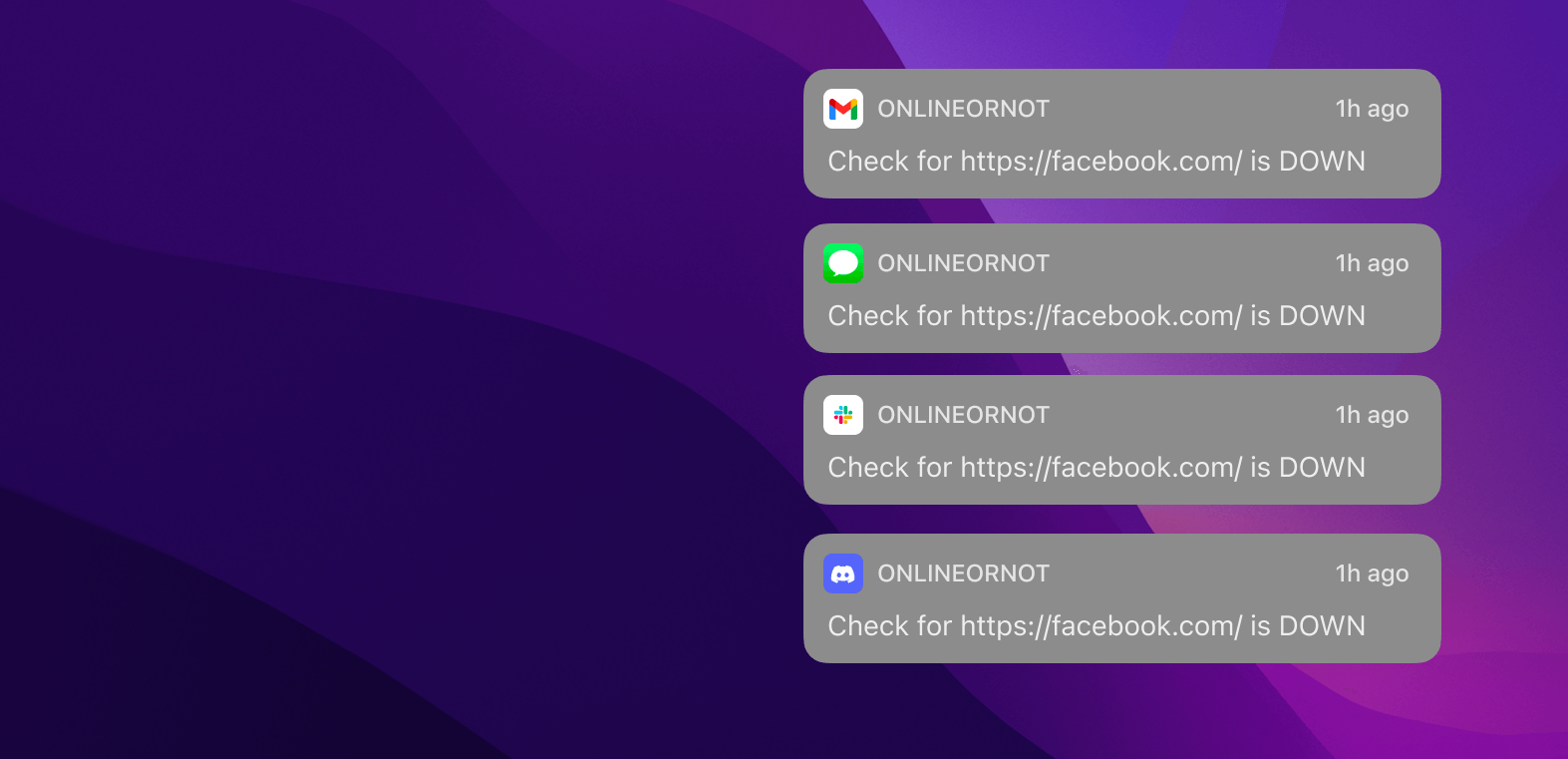
Incidents happen.
Get useful alerts, not noise.
OnlineOrNot confirms failures before paging your team, then sends the alert to the tools you already use.
- Alert channels built for teams:
- Slack, Discord, and Telegram
- PagerDuty and OpsGenie
- SMS and email
- Microsoft Teams
- Incident.io, Grafana OnCall, and Spike
- Webhooks
30-second setup.
Simple setup.
Production-ready checks.
Create checks in minutes, then configure methods, headers, request bodies, regions, and alert behavior when you need to.
Also, I just want to thank you for your responsiveness and help.
This is the best uptime monitoring we have seen so far and saved us a ton of time building our own version.
— Engineering manager, SaaS company
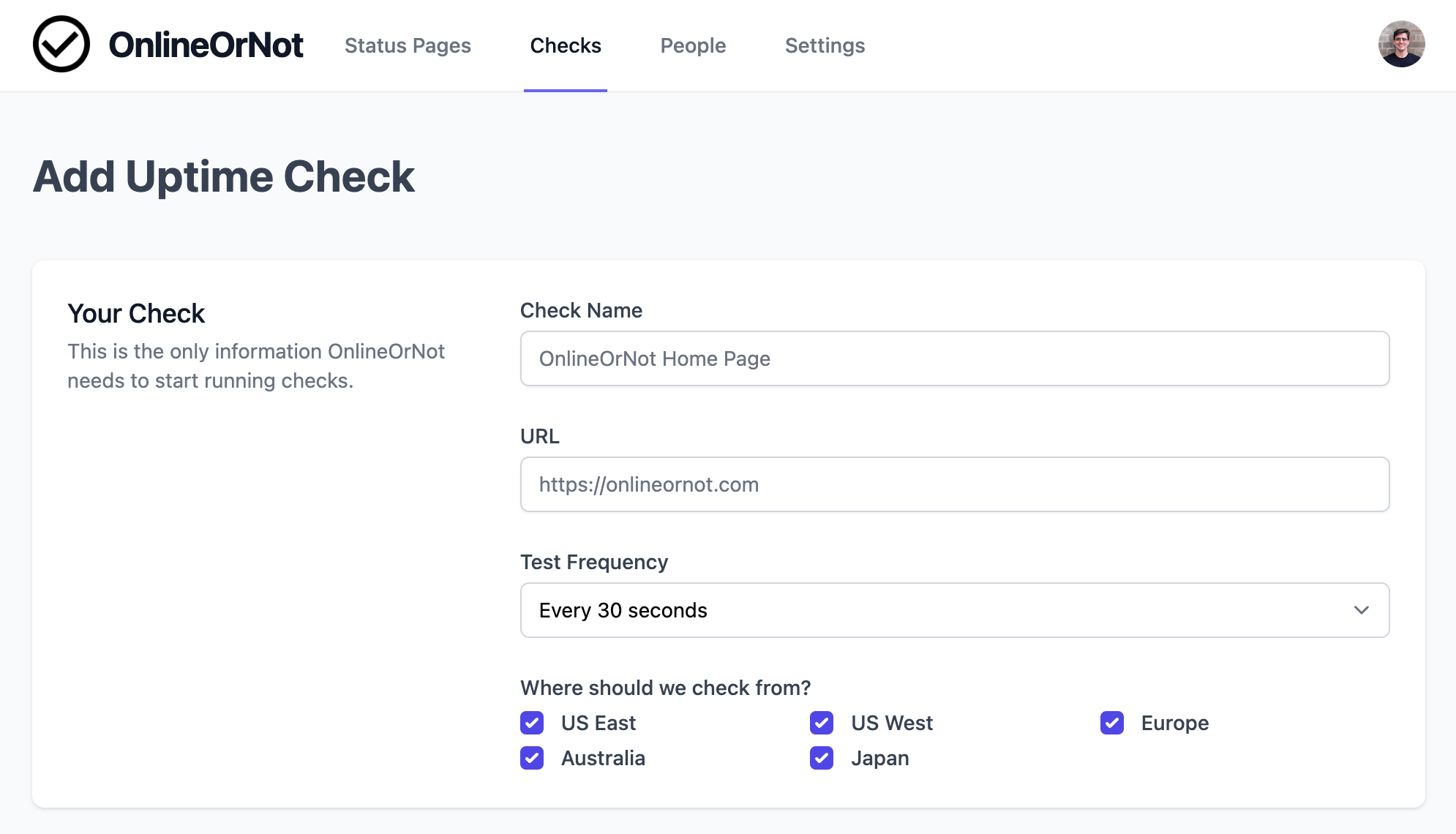
- Super-fast checks.
- Check as often as every 30 seconds, and catch the issues that take your website down for less than a minute.
- Configurable HTTP requests.
- You can configure the HTTP method, headers, and body for each check.
- Instant alerts.
- Alerts in the tools you already use: Email, SMS, Slack, Discord, Telegram, Incident.io, PagerDuty, OpsGenie, Grafana OnCall, Spike, and more.
- No false positives.
- OnlineOrNot runs every check at least twice before sending an alert, with options for even more.
- SSL Monitoring.
- When SSL verification is enabled, OnlineOrNot alerts on invalid or expired certificates. It does not send advance-expiry reminders.
- Geo-specific & Multi-location Checks.
- You can choose to run uptime checks from one region, or all of them.
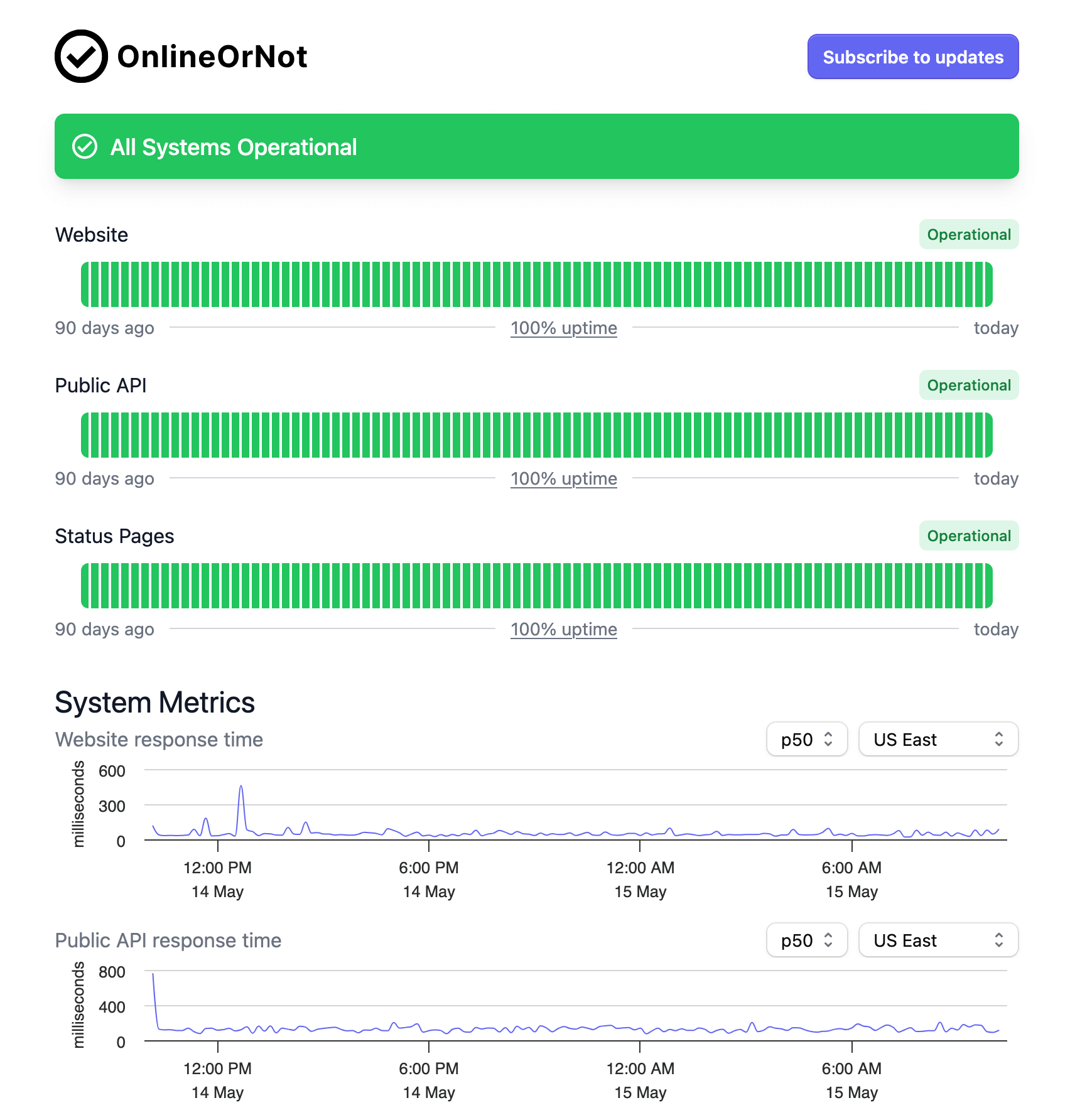
Build trust.
Keep your customers informed
Your customers rely on your products and services. Let them know your real-time status with an automatically updating status page.
- Minimize support load.
- Add your customers as subscribers to your status page, and send consistent incident updates via email.
- Private status pages.
- Share internal status updates with your teammates and internal stakeholders with a private status page.
We pitch our website to investors and influencers all the time. If the website is down, we look like amateurs.
We know our website is online before these important meetings thanks to OnlineOrNot.
— early start-up founder
Frequently asked questions
in 30 seconds:
Free 14-day trial · No credit card required
Join thousands of teams already using OnlineOrNot