Explanation
How confirmation and recovery periods work
Not every failed check means your site is down. Network blips, temporary server issues, and other transient problems can cause false positives. OnlineOrNot uses confirmation and recovery periods to distinguish real outages from noise.
The problem with instant alerts
Imagine your site has a brief hiccup - maybe a 5-second database connection timeout. Without any verification:
- OnlineOrNot checks your site
- The check fails
- You get paged at 3 AM
- By the time you check, everything's fine
This is a false positive, and it erodes trust in your monitoring.
Confirmation period
When a check first fails, OnlineOrNot doesn't immediately alert you. Instead, it enters a "confirming" state:
- First failure detected - check enters "confirming" state
- OnlineOrNot double-checks from multiple regions
- If still failing after the confirmation period (default: 60 seconds), an incident is declared
- You receive an alert
This eliminates most transient failures while still catching real outages quickly.
Recovery period
Recovery works similarly:
- A down check starts passing - enters "recovering" state
- OnlineOrNot verifies from multiple regions
- If still up after the recovery period (default: 3 minutes), the incident ends
- You receive a recovery alert
The longer recovery period (vs. confirmation) prevents "flapping" - rapid up/down/up cycles that flood your alerts.
When to adjust these settings
Shorter confirmation period:
- Critical payment or auth endpoints
- When you need to know about issues immediately
- Sites with excellent reliability (false positives are rare)
Longer confirmation period:
- Landing pages and marketing sites
- Services with known brief maintenance windows
- Sites behind flaky network infrastructure
Longer recovery period:
- Services that take time to fully warm up
- Sites with caching that may show stale "up" responses
- When you want to be certain the fix is stable
Configuring in OnlineOrNot
When adding or editing an uptime check, find these settings under advanced options:
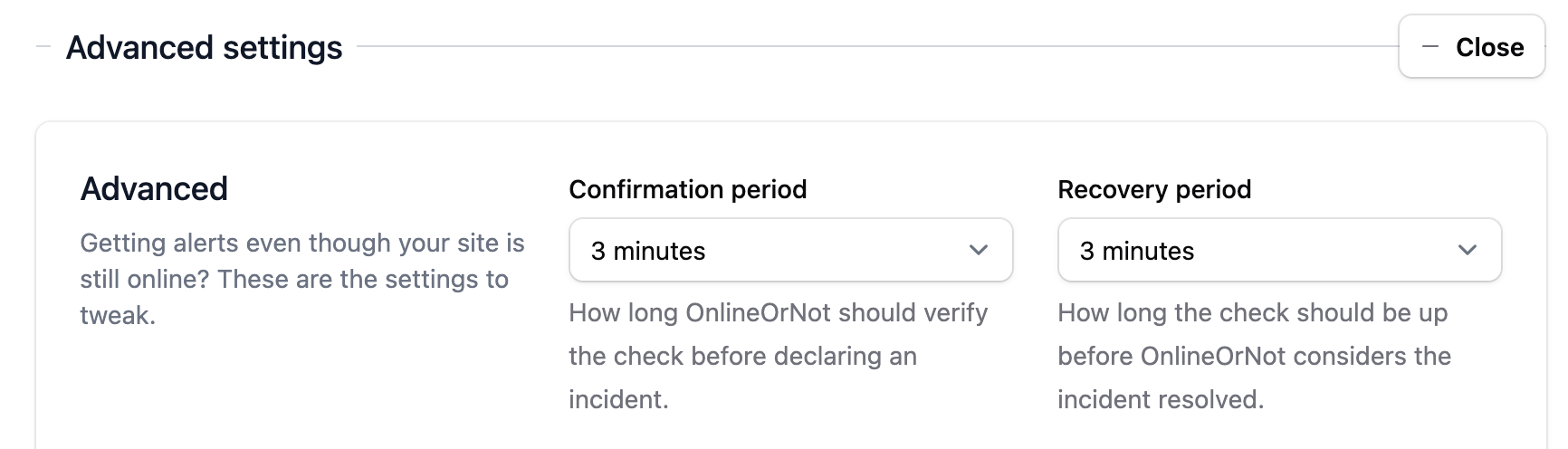
You can set:
- Immediate start - Alert on first failure (no confirmation)
- Custom confirmation period - Wait N seconds before alerting
- Immediate recovery - End incident on first success
- Custom recovery period - Wait N minutes before declaring recovery