Team
Invite team members
Keeping your sites online is a team effort. Here's how to add teammates.
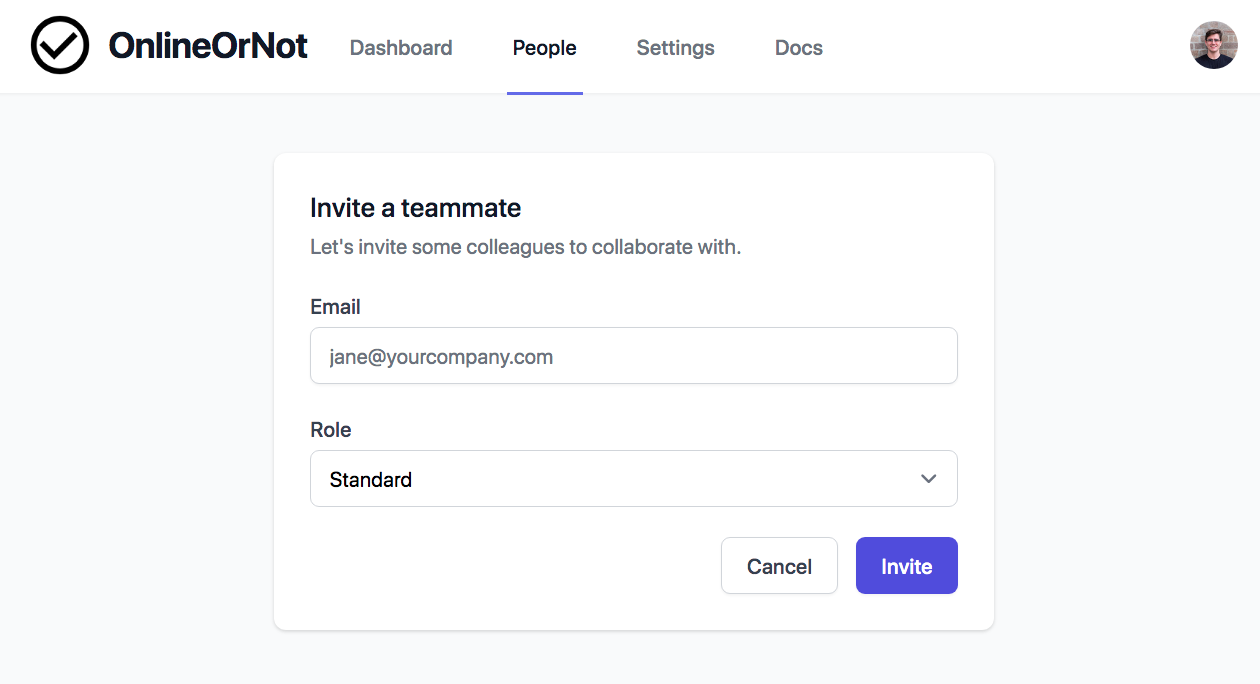
Invite a teammate
-
Click the People tab
-
Click Invite teammate
-
Enter their email and select a role
-
Click Send invite
User roles
| Role | Permissions |
|---|---|
| Admin | Full access: invite users, manage billing, configure everything |
| Standard | Add/edit/delete checks, add integrations |
Invitation expiry
Invitations expire after 7 days for security. If a teammate misses the email, invite them again.
Plan limits
- Free plan: You + 1 teammate
- Pro plan: Unlimited teammates